
What should workplace teams look for in 2026?
Workplace management software helps organizations coordinate employees, office spaces, shared resources, and workplace policies across hybrid environments. In 2026, the most important evaluation criteria are secure integrations, configurable booking rules, reliable workplace analytics, privacy and compliance controls, comprehensive resource management, scalability, and ease of use.
For regulated or multi-site enterprises, the right platform should also support role-based permissions, auditability, data governance, Microsoft 365 or Google Workspace integration, and consistent policies across locations.
What is workplace management software?
- Desk, meeting room, parking, and locker booking
- Interactive floor plans and workplace search
- Check-in, check-out, and no-show management
- Visitor and service management
- Permission, department, and location controls
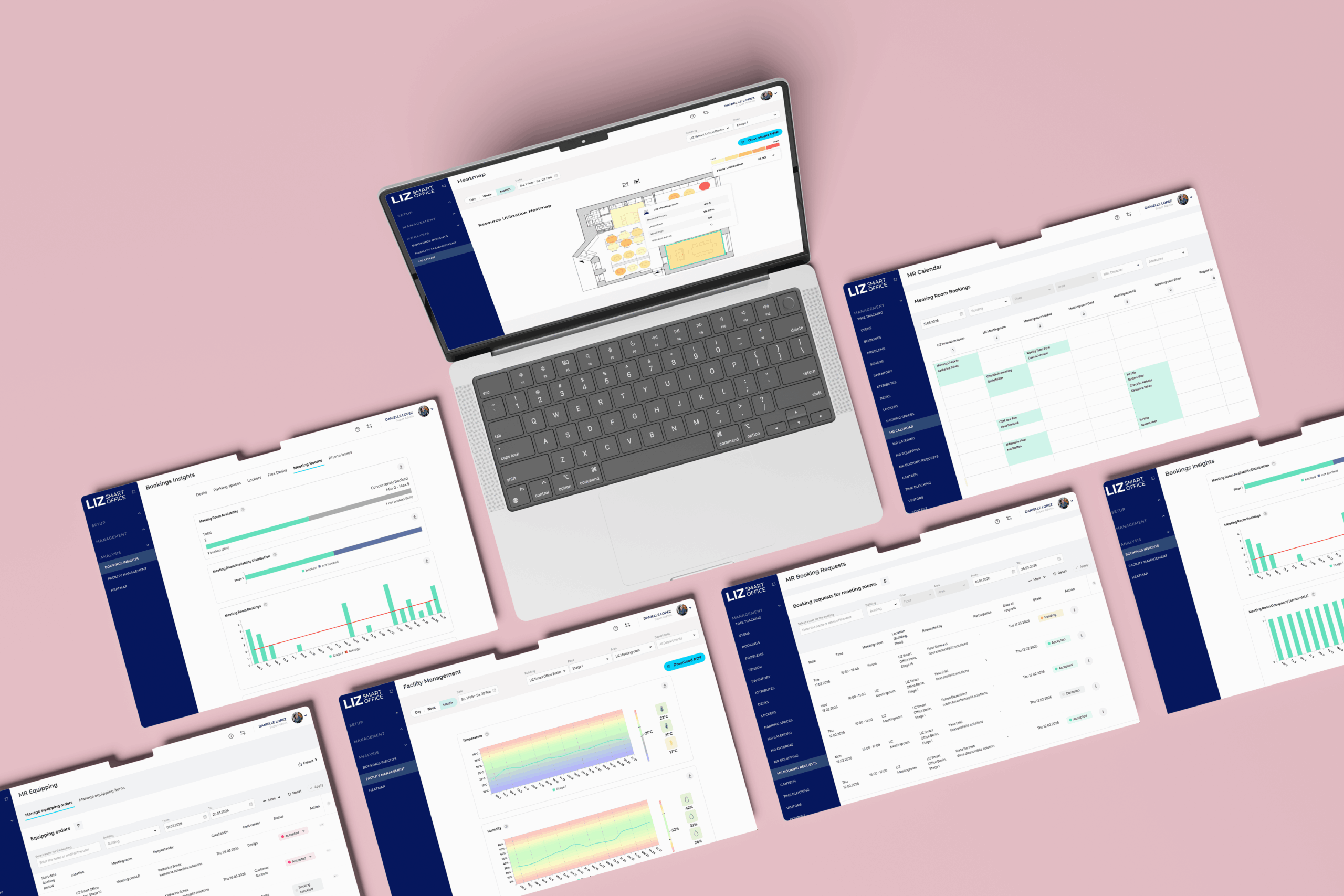
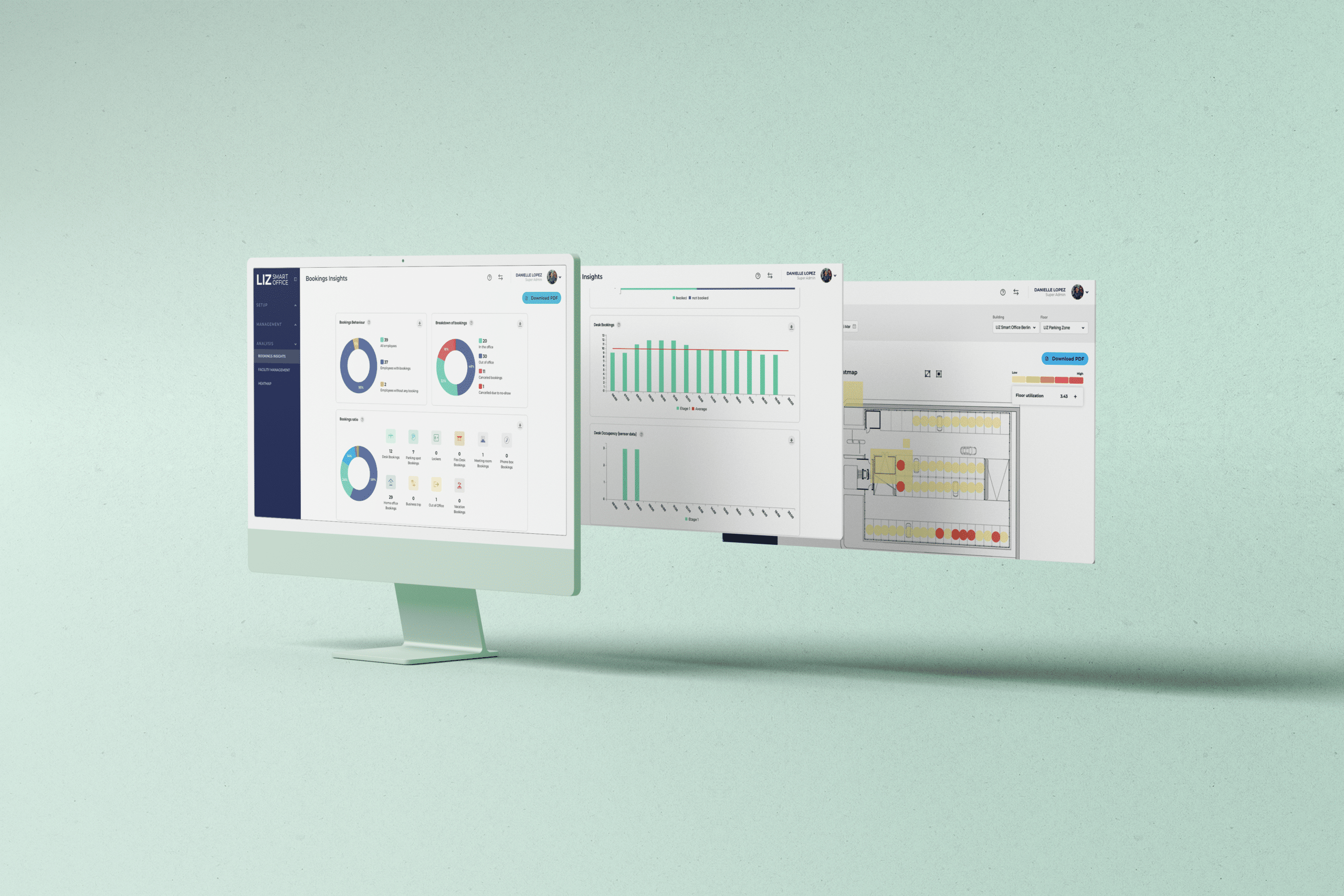
- Workplace analytics, occupancy insights, and heatmaps
- Calendar, identity, HR, sensor, and building integrations
- Mobile, web, kiosk, and display interfaces
The terms office management software, hybrid workplace management, and digital workplace management are sometimes used interchangeably. However, enterprise platforms usually extend beyond basic administration by combining employee workflows, policy controls, integrations, analytics, and space and resource management in one system.
Why the selection criteria have changed
SEAMLESS WITH YOUR EXISTING IT LANDSCAPE
LIZ Smart Office connects with the tools your teams already use every day — no new login, no new habits. Book directly in Microsoft Teams, Outlook, Google Calendar, or your HR system.
- Microsoft Teams – communication & booking directly in Teams
- Microsoft Outlook – calendar synchronization
- Microsoft 365 – full productivity suite integration
- Microsoft Entra ID – Single Sign-On (SSO)
- Google Calendar – calendar synchronization
- Personio – HR system integration
- HRworks – HR system integration
- Waldmann – workplace sensors
- ProDVX – meeting room displays
- Blocklockers – digital locker system
- PKE – parking management system






Don't see your integration? Request an integration →
1. Integrations with the existing digital workplace
- Microsoft 365, Outlook, Teams, and Entra ID
- Google Workspace and Google Calendar
- HR systems and employee directories
- Single sign-on and identity providers
- Occupancy sensors and smart building technology
- Access control, parking, locker, and visitor systems
- Open APIs for organization-specific workflows
Questions to ask vendors
- Is calendar synchronization one-way or two-way?
- How are changes, cancellations, recurring bookings, and conflicts handled?
- Can users book resources from tools they already use?
- How frequently is HR or directory data synchronized?
- Does the platform support SSO and automated user provisioning?
- Is a documented API available?
- Which integrations are included, and which require an additional fee?
2. Configurable booking and workplace policy controls
- Advance booking windows
- Maximum reservation duration
- Recurring booking rules
- Check-in and grace periods
- Automatic release after a no-show
- Department, group, or role-based permissions
- Booking quotas and capacity limits
- Priority access and restricted resources
- Approval workflows
- Rules for booking on behalf of other employees
3. Workplace analytics that support decisions
- Reservations, cancellations, and check-ins
- No-show rates
- Peak days and peak hours
- Demand by building, floor, zone, or resource type
- Booked capacity compared with actual occupancy
- Desk and meeting room utilization
- Heatmaps and recurring usage patterns
- Exportable and scheduled reports
- Historical comparisons
The purpose of analytics is not simply to collect more data. It is to support decisions about space allocation, cleaning, services, capacity, lease planning, and employee experience.
What makes analytics trustworthy?
4. Privacy, security, and regulatory compliance
- GDPR-compliant data processing
- Role-based access control
- Data minimization and configurable retention periods
- Audit logs and administrative traceability
- Encryption in transit and at rest
- Secure authentication and SSO
- Defined hosting and data-processing locations
- Documented subprocessors
- Deletion and export processes
- Security certifications such as ISO 27001
Compliance questions for procurement and IT
5. Comprehensive space and resource management
- Central resource configuration
- Searchable interactive floor plans
- Real-time availability
- Equipment and accessibility filters
- Resource-specific booking rules
- Services and additional requests
- Maintenance or out-of-service status
- Booking dependencies and linked resources
- Multi-location navigation
6. Employee experience and ease of use
- Can employees quickly see who plans to be in the office?
- Can they find a suitable resource using filters or a floor plan?
- Can they book from mobile, web, Outlook, or another familiar interface?
- Are reminders and changes communicated clearly?
- Is check-in simple?
- Can employees modify or cancel a booking without support?
7. Administration and operational control
- Clear role and permission management
- Bulk user and resource administration
- Reusable settings and policy templates
- Department and group management
- Delegated administration by location
- Error and synchronization monitoring
- Data import and export
- Configurable notifications
- Support for test environments or controlled rollouts
8. Scalability for multiple locations and business units
- Manage several buildings and countries in one environment
- Apply global standards with local exceptions
-
Separate permissions and reporting by entity or location
- Support multiple languages and time zones
- Add new resources without rebuilding the system
- Maintain performance as usage grows
- Integrate with different local building technologies
9. Implementation, support, and long-term service
- Who is responsible for project management?
- How are floor plans and resources configured?
- What data must the customer provide?
- How are integrations tested?
- Is administrator training included?
- What support channels and response times are available?
- Is ongoing customer success support provided?
- How are product updates communicated?
10. Total cost and measurable value
- Software licenses
- Setup and onboarding
- Integration and API costs
- Floor plan preparation
- Sensors, displays, or other hardware
- Support and service packages
- Training and change management
- Additional locations or modules
Workplace management software evaluation checklist
| Evaluation area | Minimum requirement |
|---|---|
| Integrations | Reliable calendar, identity, HR, and API connectivity |
| Policy controls | Rules configurable by resource, location, and user group |
| Analytics | Clear booking, check-in, occupancy, and utilization metrics |
| Compliance | GDPR controls, role-based access, retention, auditability, and documented security |
| Resource management | Desks, rooms, parking, lockers, and services managed in one platform |
| User experience | Intuitive mobile and web journeys with simple check-in |
| Administration | Bulk actions, delegated roles, monitoring, and exports |
| Scalability | Multi-site, multi-language, and local-policy support |
| Implementation | Defined onboarding, testing, training, and support |
| Commercial model | Transparent total cost and measurable business value |
How to choose the right platform
Step 1: Define operational use cases
Document what employees, administrators, facility teams, IT, HR, security, and works councils need to accomplish. Separate essential requirements from optional enhancements.Step 2: Map policies and integrations
List current booking rules, permission models, systems, data owners, and dependencies. This exposes complexity that may not appear in a standard request for proposal.Step 3: Create measurable acceptance criteria
Replace broad requirements such as “supports Outlook” with testable criteria. For example: “A room booking created in Outlook must appear in the workplace platform, including updates and cancellations.”Step 4: Test realistic workflows
Use a pilot or guided proof of concept to test representative users, locations, resources, policies, and integrations. Include exceptions, not only ideal booking journeys.Step 5: Review governance and adoption
Define who owns data, policies, administration, employee communication, support, and performance reviews after launch.Common mistakes to avoid
Conclusion
Frequently asked questions about workplace management software
What is the main purpose of workplace management software?
The main purpose of workplace management software is to coordinate employees, spaces, resources, and policies across physical and hybrid workplaces. It helps employees find and reserve what they need while giving workplace teams operational control and usage data.
What is the difference between workplace management software and office management software?
Office management software may focus on administrative tasks within an office. Workplace management software usually covers a broader environment, including hybrid work, resource booking, employee workflows, policy controls, integrations, analytics, and multiple locations.
Which resources can workplace management software manage?
Depending on the platform, it can manage desks, meeting rooms, phone booths, parking spaces, lockers, equipment, visitors, catering, and workplace services. Buyers should confirm that each resource type can have its own rules and permissions.
Why are Microsoft 365 and HR integrations important?
Microsoft 365 and HR integrations reduce duplicate work and keep calendars, users, organizational structures, and permissions aligned. They can also make workplace booking available within tools employees already use.
Can workplace management software measure office occupancy?
Workplace management software can report reservations and check-ins. When connected to occupancy sensors, it can also help compare booked capacity with actual use. The accuracy of occupancy reporting depends on the data source and metric definition.
How does workplace software support compliance?
It can support compliance through role-based permissions, data minimization, retention settings, audit logs, secure authentication, documented hosting, and controlled reporting. Compliance also depends on customer configuration, internal policies, and contractual agreements with the provider.
Is workplace management software suitable for multiple offices?
Yes. The platform should support centralized configuration, local policy exceptions, delegated administration, multiple languages and time zones, location-based reporting, and scalable integrations.
What should be tested during a workplace software pilot?
A pilot should test booking, changes, cancellations, check-in, no-shows, permissions, recurring reservations, calendar synchronization, mobile use, reporting, and administrative workflows. It should include realistic exceptions and feedback from different user groups.
Evaluate your workplace requirements
See how desk, meeting room, parking, locker, visitor, and workplace analytics workflows can be managed in one secure and scalable platform.
Request a consultation