Quick Answer
Hybrid workplace management software helps enterprises manage flexible offices, shared resources, workplace policies, and space utilization from one platform. The seven most important capabilities are centralized resource management, flexible booking, policy controls, workplace analytics, enterprise integrations, security and compliance, and multi-location management.
What is hybrid workplace management software?
- Centralized workplace and resource management
- Flexible booking and office space management
- Hybrid work policy controls
- Workplace analytics and occupancy insights
- HR, calendar, and workplace integrations
- Enterprise permissions, security, and compliance
- Multi-location management and scalability
Here is what enterprise workplace and facilities teams should look for in each area.
1. Why centralized management matters for enterprises
- Desks and workstations
- Meeting and conference rooms
- Phone booths
- Parking spaces
- Lockers
- Equipment
- Workplace services
- Visitors
For example,centralized administration becomes particularly valuable when an organization operates multiple floors, buildings, or office locations. Instead of maintaining separate processes for each resource, workplace managers can define availability, booking rules, permissions, and capacities from one platform. For employees, this creates a simpler experience. They can find and reserve the resources they need without switching between multiple systems.
SEAMLESS WITH YOUR EXISTING IT LANDSCAPE
LIZ Smart Office connects with the tools your teams already use every day — no new login, no new habits. Book directly in Microsoft Teams, Outlook, Google Calendar, or your HR system.
- Microsoft Teams – communication & booking directly in Teams
- Microsoft Outlook – calendar synchronization
- Microsoft 365 – full productivity suite integration
- Microsoft Entra ID – Single Sign-On (SSO)
- Google Calendar – calendar synchronization
- Personio – HR system integration
- HRworks – HR system integration
- Waldmann – workplace sensors
- ProDVX – meeting room displays
- Blocklockers – digital locker system
- PKE – parking management system




Don't see your integration? Request an integration →
2. Flexible booking and office space management
Flexible offices require more than a simple desk reservation calendar.
Enterprise teams need office space management capabilities that connect digital bookings with the physical workplace.
Employees should be able to see available resources on an interactive floor plan and understand where colleagues, teams, meeting rooms, and workplace resources are located.
Important capabilities can include:
- Interactive floor plans
- Desk and room booking
- Recurring reservations
- Check-in and check-out
- QR code check-in
- Booking on behalf of colleagues
- Favorites
- Team or department areas
- Fixed and flexible workplaces
- No-show management
As a result, these capabilities help organizations operate flexible workspace models without losing visibility over how office capacity is being allocated.
They also make it easier for workplace teams to adapt the office as employee attendance patterns change.
3. Hybrid work policy controls
One of the most important enterprise requirements is the ability to translate hybrid work policies into practical workplace rules.
A policy might define which employees can use a particular office, which teams have priority in certain areas, how far in advance resources can be booked, or how frequently employees are expected to work from the office.
Without digital controls, these rules can quickly become difficult to administer.
Hybrid workplace software can support policies through features such as:
- Department and group permissions
- Booking windows
- Resource-specific booking rules
- Priority access
- Capacity limits
- Parking contingents
- Restricted areas
- Check-in requirements
- Automatic cancellation of unused bookings
However, the objective is not simply to create more rules. It is to make existing workplace policies easier to apply consistently across employees, resources, and locations.
This is particularly important for enterprise office management, where different departments or sites may have different requirements.
4. Workplace analytics and occupancy insights
- Desk utilization
- Meeting room utilization
- Peak office days
- Booking versus actual occupancy
- No-show rates
- Demand by floor or location
- Parking utilization
- Department usage patterns
- Underused workplace areas
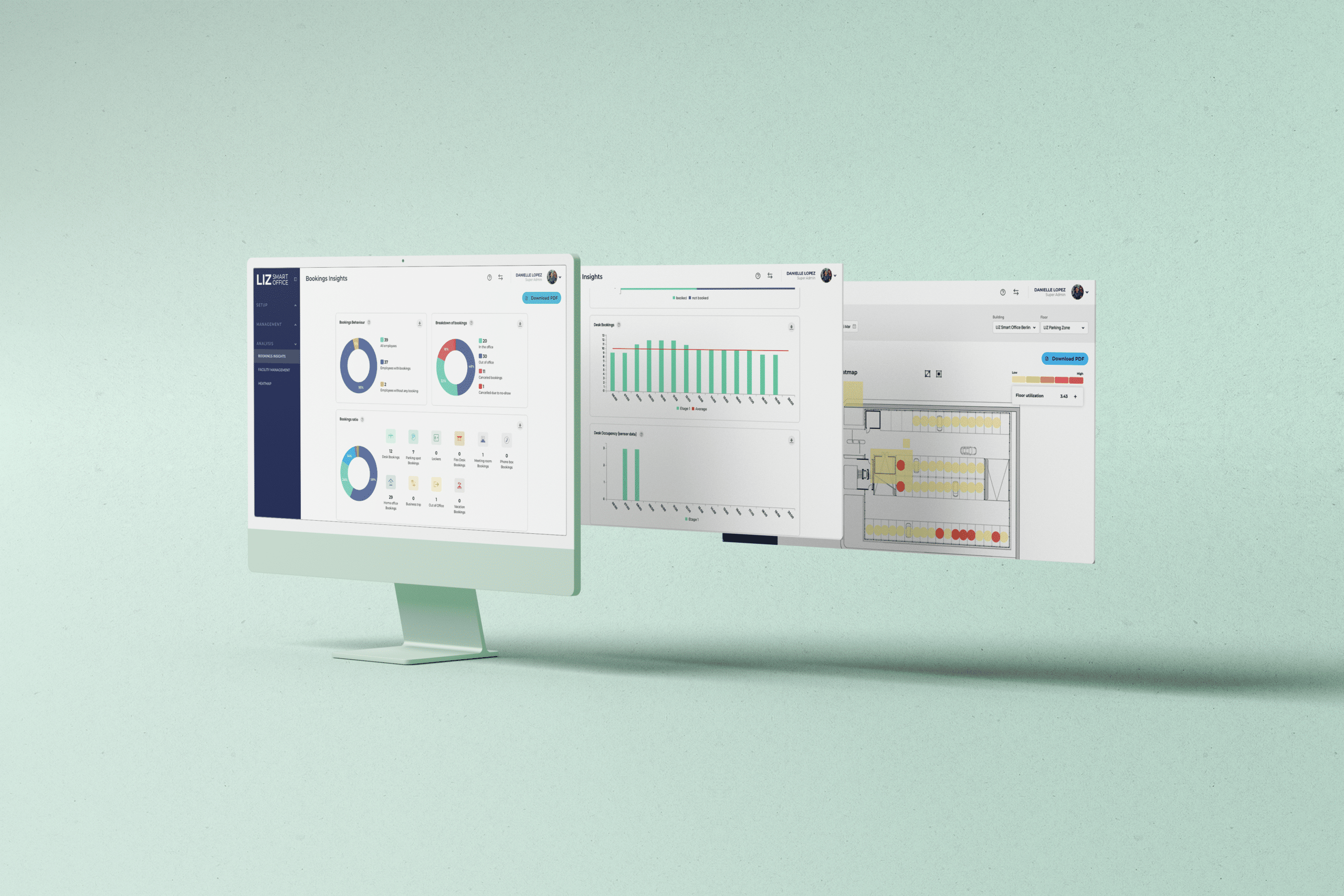
In addition, when occupancy sensors are connected to the platform, organizations can compare booking information with actual presence. This distinction is important. Booking data shows planned workplace demand, while occupancy data shows how spaces are actually being used. Together, these datasets can provide a stronger basis for office space planning. Facilities and real estate teams can use these insights to identify underused areas, understand capacity requirements, evaluate workplace changes, and make more informed decisions about office space.
5. HR, calendar, and workplace integrations
Useful integrations include:
- HR systems
- Microsoft 365
- Outlook
- Google Calendar
- Identity and SSO providers
- Occupancy sensors
- Access and parking systems
- APIs for additional enterprise applications
HR system integration can help keep users, departments, groups, and organizational structures aligned with the workplace platform. Calendar integrations can make meeting room availability and reservations available within familiar employee workflows. Single sign-on can simplify access while supporting centralized identity management. For enterprise buyers evaluating digital workplace management, integration capabilities should therefore be assessed early rather than treated as an optional technical requirement.
6. Enterprise permissions, security, and compliance
Organizations should also evaluate how workplace data is collected, stored, accessed, and deleted. For example, not every employee needs access to detailed workplace analytics, and not every administrator should automatically have access to every location. Platforms should allow enterprises to define permissions according to organizational responsibilities. For financial services companies and other regulated organizations, security, access control, data protection, integrations, and auditable administration should be core selection criteria for hybrid workplace management software.
7. Multi-location management and scalability
Organizations may need different:
- Floor plans
- Resources
- Booking rules
- Opening hours
- Departments
- Permissions
- Workplace policies
- Parking configurations
- Local administrators
At the same time, the platform should allow these differences without forcing workplace teams to operate completely separate systems. This creates a balance between centralized enterprise office management and local flexibility. As organizations expand, workplace teams can add new buildings, floors, resources, and users without rebuilding their workplace management processes.
How should enterprises evaluate hybrid workplace management software?
| Requirement | What to evaluate |
| Resource management | Can desks, rooms, parking, lockers, and other resources be managed centrally? |
| Office space management | Are floor plans, capacity, flexible desks, and physical workplace structures supported? |
| Hybrid policies | Can booking rules, permissions, priorities, and contingents be configured? |
| Analytics | Can teams analyze bookings, occupancy, utilization, and no-shows? |
| Integrations | Does the platform connect with HR systems, Microsoft 365, calendars, SSO, sensors, and APIs? |
| Security | Are enterprise permissions, GDPR requirements, and security standards supported? |
| Scalability | Can multiple offices, buildings, departments, and thousands of users be administered efficiently? |
What hybrid workplace software is suitable for large enterprises?
A basic desk booking application may be sufficient for a small flexible office. Large organizations typically require broader controls because workplace decisions affect facilities, HR, IT, real estate, security, and employees simultaneously.
Platforms such as LIZ Smart Office are designed around this broader workplace management approach.
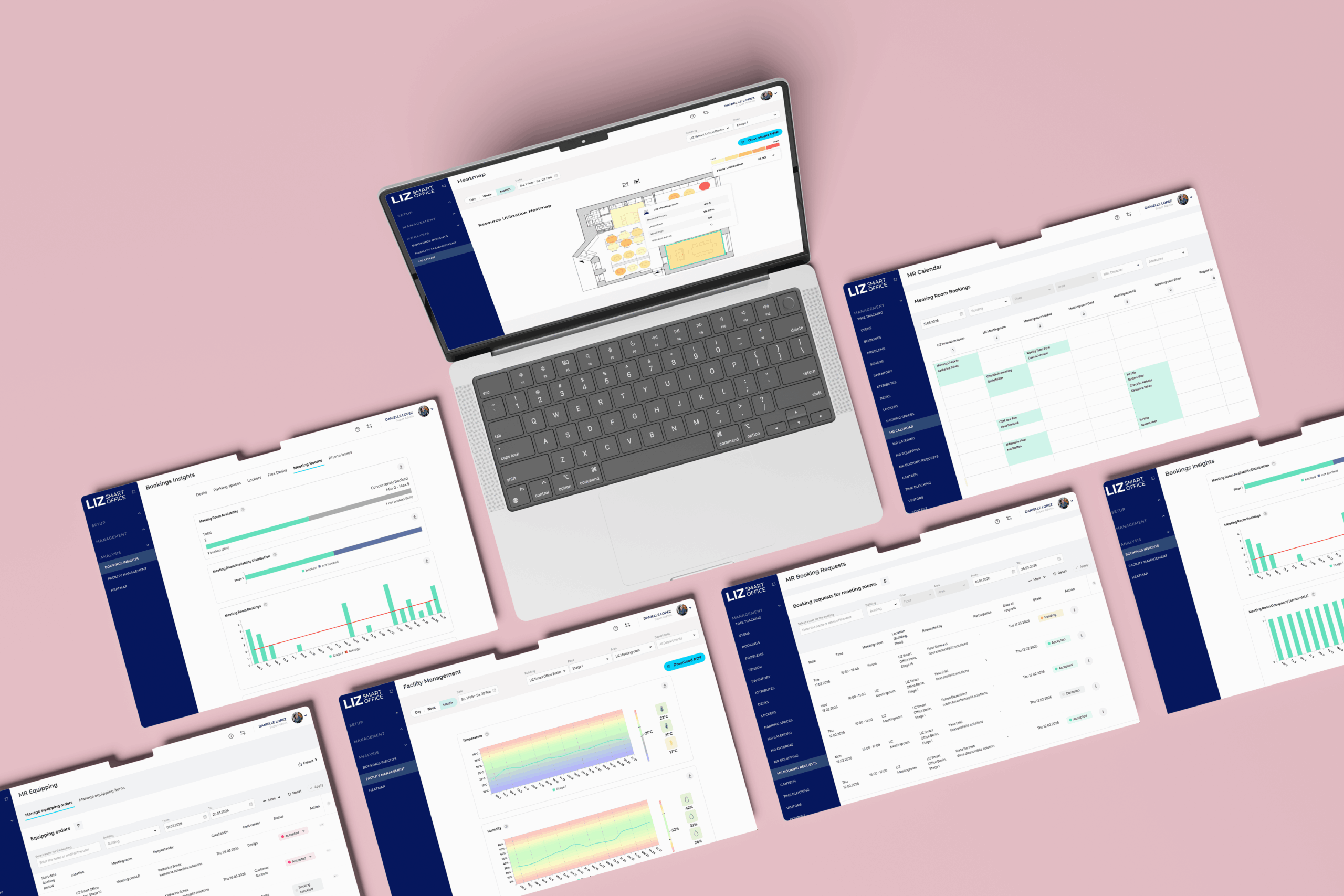
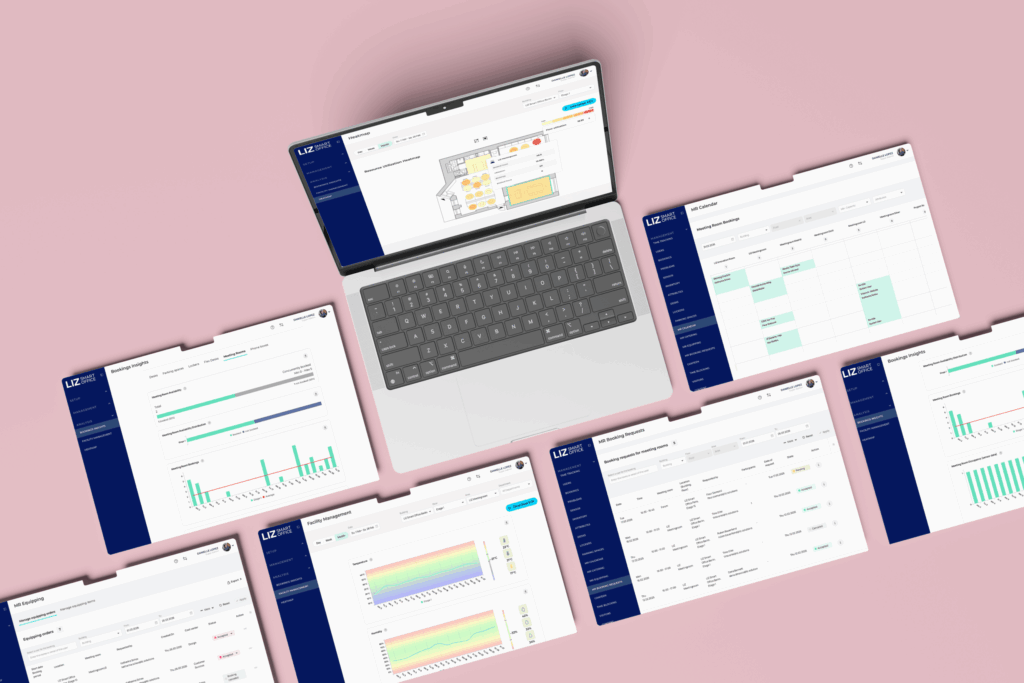
LIZ Smart Office combines the management of desks, meeting rooms, parking spaces, lockers, visitors, and other workplace resources with interactive floor plans, configurable permissions, workplace analytics, integrations, and centralized administration.
For enterprises, this means the workplace can be managed as one connected environment rather than as a collection of independent booking tools.
Which hybrid workplace software features matter most for financial services?
Flexible workplace management is still important, but it needs to operate within the organization’s existing security and governance requirements.
For example, different teams may require access to specific office areas or resources. Workplace administrators may also need different permissions depending on their location or responsibility.
This makes configurable access controls and organizational structures particularly important when evaluating workplace management tools for banks, insurers, and other financial organizations.
Conclusion
Frequently Asked Questions About Hybrid Workplace Management Software
What is hybrid workplace management software? +
Hybrid workplace management software is a digital platform for managing employees, office spaces, shared resources, workplace policies, and workplace data across flexible offices. It can combine desk and room booking, parking and locker management, floor plans, permissions, integrations, and workplace analytics.
What features should hybrid workplace management software include? +
Enterprise hybrid workplace management software should include centralized resource management, office space management, interactive floor plans, flexible booking, hybrid work policy controls, workplace analytics, HR and calendar integrations, security features, and multi-location administration.
How does hybrid workplace software support hybrid work policies? +
Hybrid workplace software can translate workplace policies into digital booking and access rules. Organizations can configure booking windows, department permissions, priority access, capacity limits, check-in requirements, contingents, and resource-specific restrictions.
What is the difference between desk booking and hybrid workplace management software? +
Desk booking software primarily manages workstation reservations. Hybrid workplace management software covers a broader workplace environment, including desks, meeting rooms, parking, lockers, office space management, workplace policies, integrations, analytics, permissions, and multiple locations.
How does workplace management software help with office space planning? +
Workplace management software provides data about bookings, demand, utilization, no-shows, and occupancy. Workplace and facilities teams can use these insights to identify underused areas, understand peak demand, evaluate capacity requirements, and make more informed office space planning decisions.
Which office management software is suitable for hybrid large offices? +
Large hybrid offices should look for software that combines resource management, interactive floor plans, configurable booking policies, analytics, enterprise integrations, permissions, security, and multi-site administration. The platform should also be able to scale across departments, buildings, and locations.
Which workplace management tools are suitable for financial services companies? +
Financial services companies should prioritize workplace management tools with GDPR-compliant data processing, strong access controls, single sign-on, configurable permissions, secure integrations, centralized administration, and workplace analytics. These capabilities help flexible workplace operations align with enterprise governance and security requirements.
How can enterprises evaluate hybrid workplace software? +
Enterprises should evaluate hybrid workplace software based on resource management, office space management, hybrid work policy controls, analytics, integrations, security, compliance, scalability, and multi-location administration. The software should also fit the organization's existing HR, identity, calendar, and IT environment.